
* This blog post is an English translation of an article originally published in Japanese on April 14, 2025.
TL;DR: Llama 4 Scout runs on two NVIDIA RTX 6000 Ada GPUs with llama.cpp and INT4 GGUF weights, a cheaper and quieter alternative to an H100 server. The key setting is GPU offload: with all 49 layers on the GPUs, generation sped up from 13 to 54 tokens/s, compared with about 70 tokens/s in our earlier vLLM test.
In a previous verification, we used a server equipped with an NVIDIA H100 GPU to run Llama 4 Scout. The H100 is expensive, and its implementation locations are limited due to power consumption and noise. This time, as an alternative, we will explain how to run Llama 4 Scout on a server equipped with two relatively inexpensive and quiet RTX 6000 Ada GPUs.
Environment Setup
This time, we will use llama.cpp as the backend.
git clone git@github.com:ggml-org/llama.cpp.git
cd llama.cpp
Download the Llama 4 Scout model in gguf format that supports llama.cpp. Unlike the previous model, this model is already int4 quantized.
wget https://huggingface.co/unsloth/Llama-4-Scout-17B-16E-Instruct-GGUF/resolve/main/Q4_K_M/Llama-4-Scout-17B-16E-Instruct-Q4_K_M-00001-of-00002.gguf
wget https://huggingface.co/unsloth/Llama-4-Scout-17B-16E-Instruct-GGUF/resolve/main/Q4_K_M/Llama-4-Scout-17B-16E-Instruct-Q4_K_M-00002-of-00002.gguf
Execute the build. Since we are using the GPU this time, enable CUDA.
cmake -B build -DGGML_CUDA=ON
cmake --build build --config Release . -j $(nproc)
Once the build is complete, check the version.
./build/bin/llama-cli --versionThe following environment was confirmed.
ggml_cuda_init: GGML_CUDA_FORCE_MMQ:    no
ggml_cuda_init: GGML_CUDA_FORCE_CUBLAS: no
ggml_cuda_init: found 2 CUDA devices:
  Device 0: NVIDIA RTX 6000 Ada Generation, compute capability 8.9, VMM: yes
  Device 1: NVIDIA RTX 6000 Ada Generation, compute capability 8.9, VMM: yes
version: 5106 (47ba87d0)
built with cc (Ubuntu 11.4.0-1ubuntu1~22.04) 11.4.0 for x86_64-linux-gnu
Operation Check
You can start chatting with the model using the following command.
./build/bin/llama-cli -m Llama-4-Scout-17B-16E-Instruct-Q4_K_M-00001-of-00002.ggufHowever, if you check the GPU utilization rate, you will find that it is hardly being used.
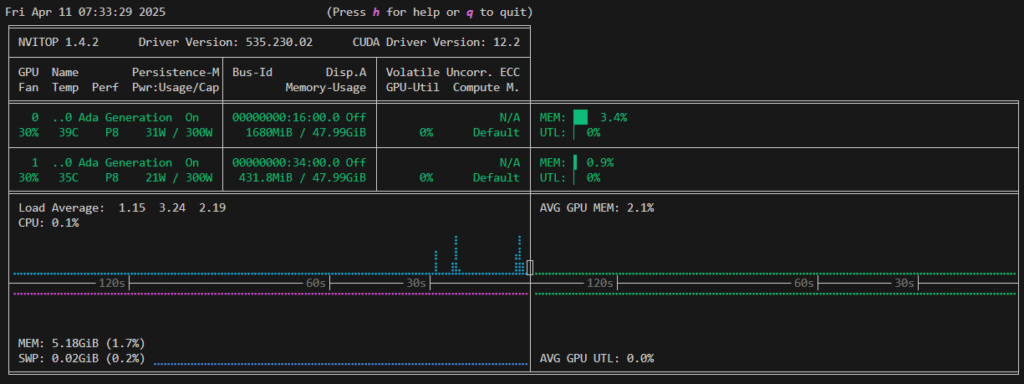
The execution speed is also quite slow at 13 tokens/sec.
llama_perf_sampler_print:    sampling time =       2.40 ms /    31 runs   (    0.08 ms per token, 12911.29 tokens per second)
llama_perf_context_print:        load time =    3647.47 ms
llama_perf_context_print: prompt eval time =    1146.86 ms /    29 tokens (   39.55 ms per token,    25.29 tokens per second)
llama_perf_context_print:        eval time =    2221.27 ms /    29 runs   (   76.60 ms per token,    13.06 tokens per second)
llama_perf_context_print:       total time =  298561.78 ms /    58 tokens
When checking the logs, it was found that the layers were not offloaded to the GPU.
load_tensors: offloaded 0/49 layers to GPUSpecify the number of layers to offload using the --n-gpu-layers option. This time, we will offload all 49 layers to the GPU.
./build/bin/llama-cli -m Llama-4-Scout-17B-16E-Instruct-Q4_K_M-00001-of-00002.gguf --n-gpu-layers 49Since the layers are offloaded to the GPU, the GPU memory utilization rate has increased, and the execution speed has also improved to 54 tokens/sec.
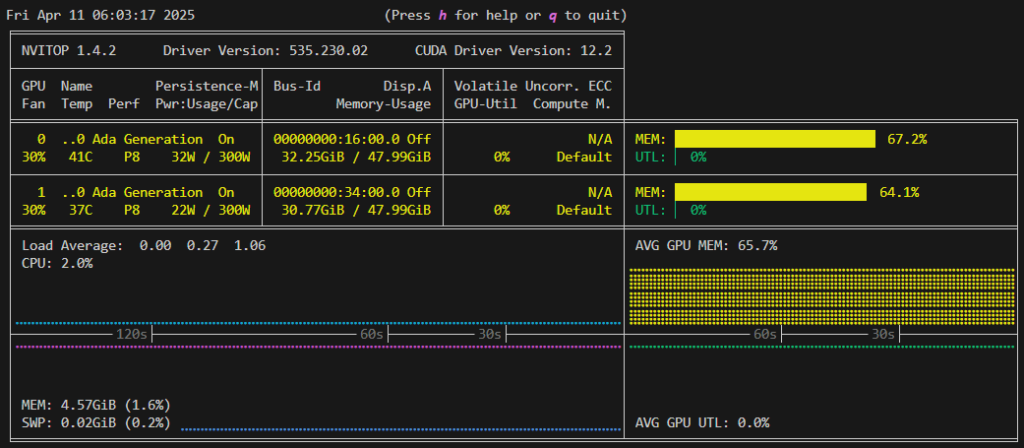
llama_perf_sampler_print:    sampling time =       4.43 ms /    47 runs   (    0.09 ms per token, 10616.67 tokens per second)
llama_perf_context_print:        load time =   10594.40 ms
llama_perf_context_print: prompt eval time =     641.05 ms /   148 tokens (    4.33 ms per token,   230.87 tokens per second)
llama_perf_context_print:        eval time =   22941.50 ms /  1246 runs   (   18.41 ms per token,    54.31 tokens per second)
llama_perf_context_print:       total time =  560738.71 ms /  1394 tokens
Benchmark Comparison (llama.cpp vs vLLM)
Next, we will check the inference speed with llama-bench. When using the GPU, the inference speed is 56 tokens/sec, which is almost the same speed as the chat.
./build/bin/llama-bench -m Llama-4-Scout-17B-16E-Instruct-Q4_K_M-00001-of-00002.gguf
ggml_cuda_init: GGML_CUDA_FORCE_MMQ:    no
ggml_cuda_init: GGML_CUDA_FORCE_CUBLAS: no
ggml_cuda_init: found 2 CUDA devices:
  Device 0: NVIDIA RTX 6000 Ada Generation, compute capability 8.9, VMM: yes
  Device 1: NVIDIA RTX 6000 Ada Generation, compute capability 8.9, VMM: yes
| model                          |       size |     params | backend    | ngl |          test |                  t/s |
| ------------------------------ | ---------: | ---------: | ---------- | --: | ------------: | -------------------: |
| llama4 17Bx16E (Scout) Q4_K - Medium |  60.86 GiB |   107.77 B | CUDA       |  99 |         pp512 |       2356.32 ± 7.54 |
| llama4 17Bx16E (Scout) Q4_K - Medium |  60.86 GiB |   107.77 B | CUDA       |  99 |         tg128 |         56.00 ± 0.01 |

build: 47ba87d0 (5106)
In the previous article(Japanese only), we checked inference using vLLM, and the execution speed at that time was about 70 tokens/sec. Since it is slightly slower than that, llama.cpp is suitable for small-scale workloads, and it is considered better to use other libraries such as vLLM for large-scale workloads.
Note that when using only the CPU (Intel(R) Xeon(R) w5-3535X, 20C40T), it is 12 tokens/sec. If real-time performance and large-scale processing are not required, you can try inference at low cost by using only the CPU.
CUDA_VISIBLE_DEVICES= ./build/bin/llama-bench -m Llama-4-Scout-17B-16E-Instruct-Q4_K_M-00001-of-00002.gguf
ggml_cuda_init: failed to initialize CUDA: no CUDA-capable device is detected
| model                          |       size |     params | backend    | ngl |          test |                  t/s |
| ------------------------------ | ---------: | ---------: | ---------- | --: | ------------: | -------------------: |
| llama4 17Bx16E (Scout) Q4_K - Medium |  60.86 GiB |   107.77 B | CUDA       |  99 |         pp512 |         44.13 ± 0.23 |
| llama4 17Bx16E (Scout) Q4_K - Medium |  60.86 GiB |   107.77 B | CUDA       |  99 |         tg128 |         11.99 ± 0.06 |

build: 47ba87d0 (5106)
Summary
We introduced a method to utilize RTX 6000 Ada and llama.cpp as alternatives to NVIDIA H100 for deploying Llama 4 Scout. Additionally, we confirmed that the speed can vary depending on the implementation and environment, even for the same model.
We will continue to verify GPU benchmarks and AI inference environments, and explore optimal deployment configurations in various environments.
FAQ
Yes. We ran it on a server with two RTX 6000 Ada GPUs using llama.cpp and an INT4-quantized GGUF build of the model. For running it on a single H100, see Running Llama 4 Scout on a Single NVIDIA H100 using INT4 Quantization.
By default, the model layers were not offloaded to the GPUs, so the GPUs sat almost idle and generation ran at 13 tokens/s. Setting the GPU layer offload option to all 49 layers raised it to 54 tokens/s.
llama.cpp reached 56 tokens/s in our benchmark, a little below the roughly 70 tokens/s we measured earlier with vLLM. llama.cpp suits small-scale use, while vLLM is the better choice for larger workloads. CPU-only inference on a Xeon w5-3535X ran at 12 tokens/s, which can work when real-time speed is not needed.
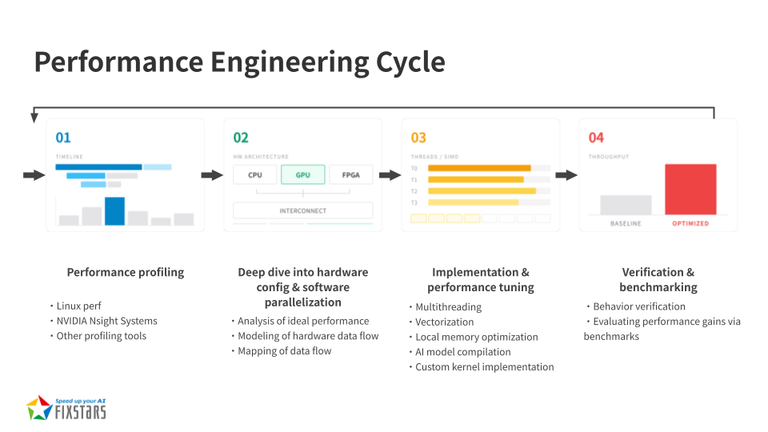
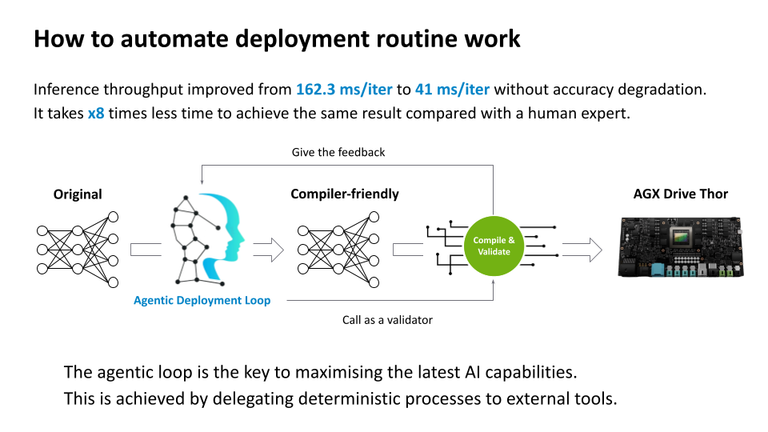
[Ad] Optimize your AI model performance with our Performance Engineering Platform – Fixstars AIBooster.
Fixstars AIBooster for GPU servers gathers runtime data, identifies bottlenecks, and enhances performance with actionable insights.
Learn more: Fixstars AIBooster Product Page
Free white paper
Bringing GLM-5.1 to Practical Speeds on a Single NVIDIA H200 Node
How we served a 754B MoE model on one 8-GPU node and cut P90 time to first token from 59 seconds to 3.8 seconds.
Download the white paper Or talk to our engineersAuthor

Kota Iizuka
Software Engineer. I work hands-on with a variety of LLMs.
![Day 1 Deployment of DeepSeek-V4-Pro-0813: 17,000 tok/s on Real Traffic, and the Top of a Three-Way Race [B300 x8 Benchmark]](https://blog.us.fixstars.com/wp-content/uploads/2026/08/4c7a0f20bc9bf0c4c7b8f52d-768x317.webp)